

How to Get Infinite Bond Stars in Inazuma Eleven Victory Road (Cheat Engine Guide)
Greetings, Inazuma fan! Today I’m going to teach you how to get infinite Bond Stars in Inazuma Eleven Victory Road using Cheat Engine. With this tutorial, you will be able to scout players from different constellations and perform unlimited gacha pulls without worrying about farming them by playing matches for hours.
In this guide, I’ll show you several ways to do this so you can choose the one you like best (though I predict you’ll likely choose the second method) and so you can learn how memory editing works in games like this.
Note: These methods are only valid for the PC version (Steam) and on modified Nintendo Switch consoles (or emulators).
Method 1: Search by Inventory Amount
This method is very similar to the one we followed in the tutorial to get unlimited beans. Basically, what we are going to do here is pull from the gacha several times and search for the new Bond Stars value remaining in our inventory.
As a mandatory requirement, you must have 10 or more Bond Stars; if you have fewer, I recommend going directly to Method 2, where we will filter by the Item ID.
In my save file, I have 35 stars in total, so we do the following:
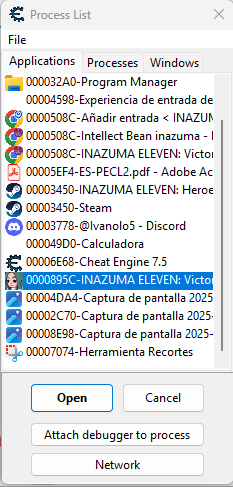
- Go to Cheat Engine, click on the "magnifying glass" button (top left), and select Inazuma Eleven Victory Road process.
- In the search box, write your value: 35.
- Make sure the Scan Type is set to 4 Bytes (change it in the dropdown if it shows something else) and click First Scan or New Scan if you have searched for other values previously
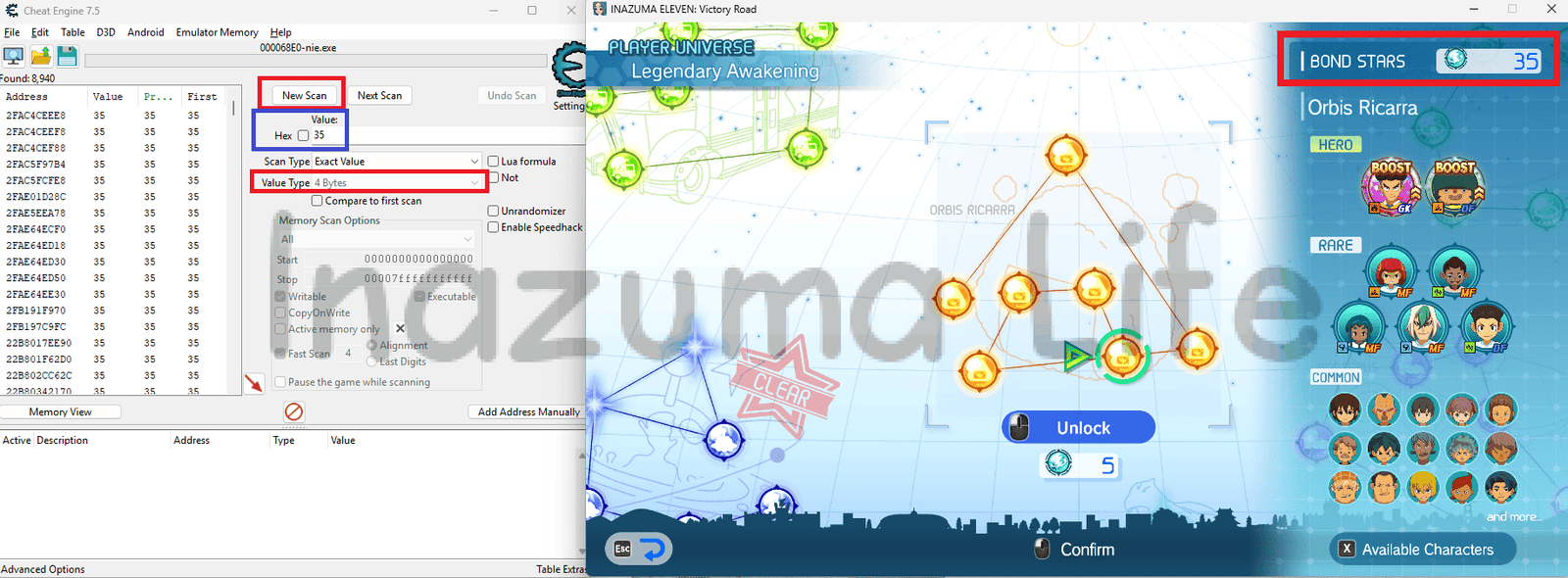
- As expected, many values will appear. To reduce the number of results, we need to unlock a constellation node (i.e., spend 5 Bond Stars) to modify the value. So, go ahead and perform a pull in the gacha.

- Once the pull is done (which costs 5), we see that we now have 30 stars. So, in Cheat Engine, we type the value 30 and click Next Scan.
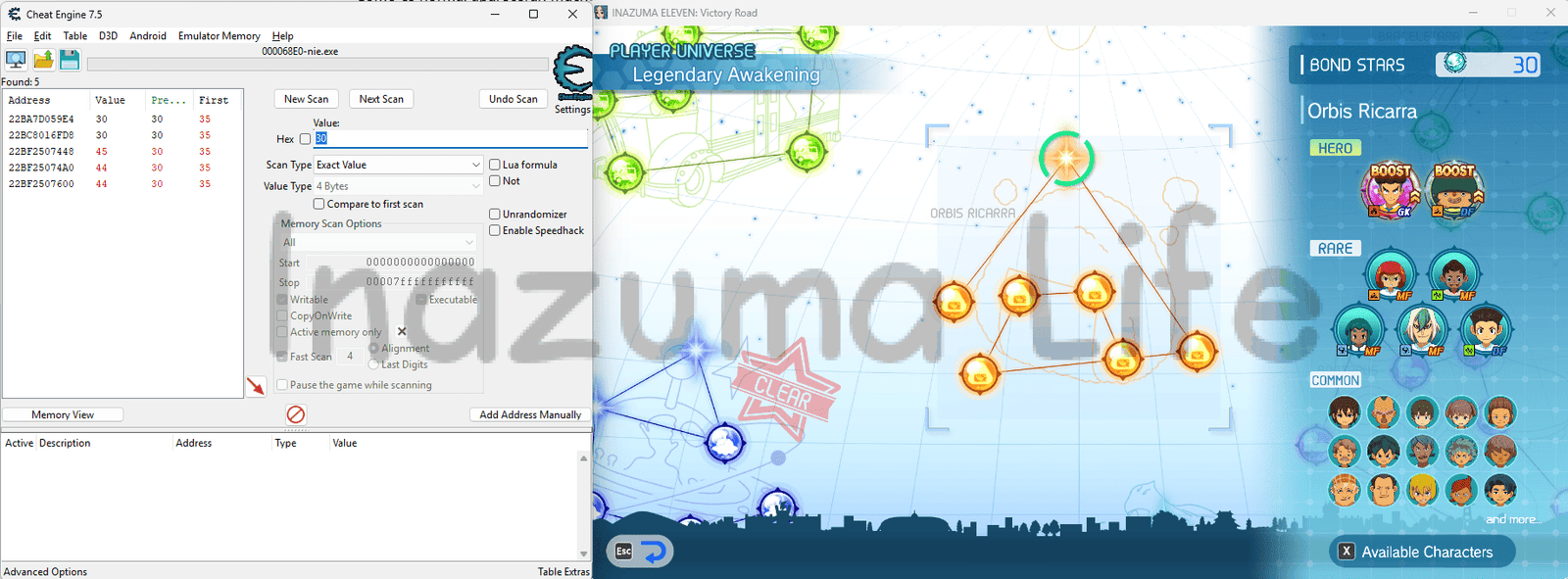
- Como vemos, el número de resultados se ha reducido muchísimo, pero todavía siguen saliendo varios. Entonces lo que hacemos es repetir el proceso: desbloqueamos una nueva constelación (gastando 5 estrellas) y buscamos su nuevo valor (25), dándole a Next Scan.
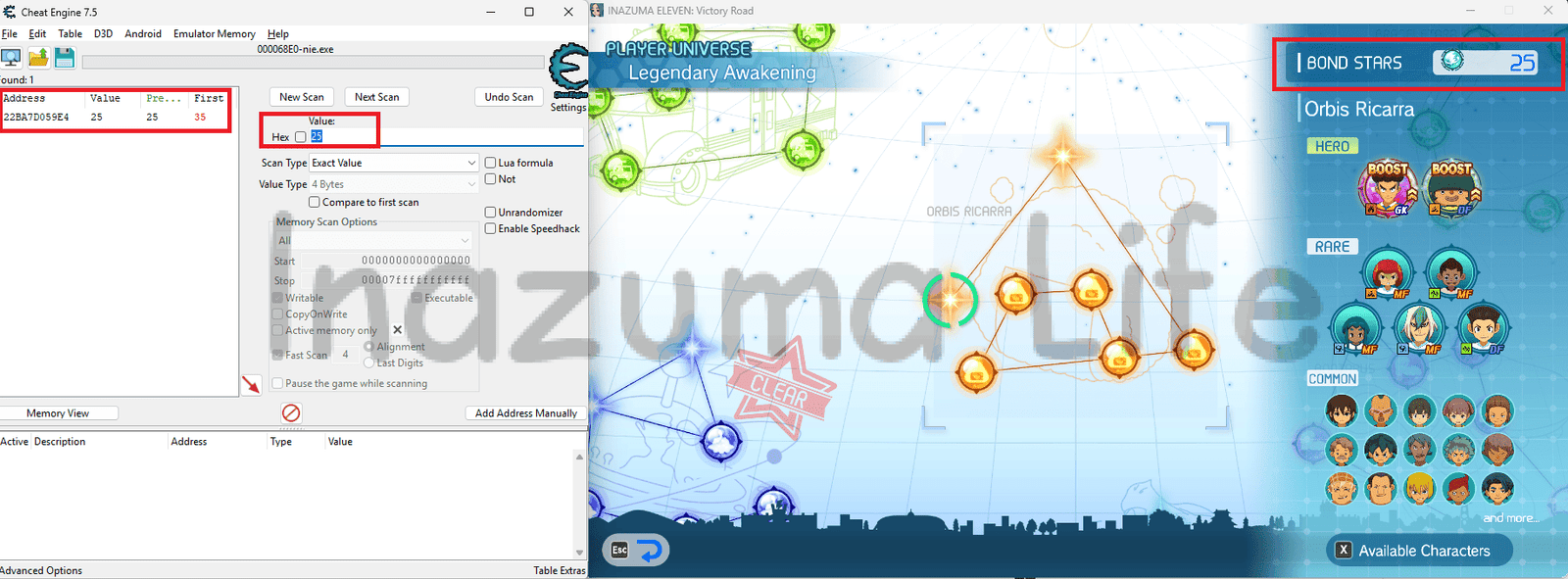
- In my case, I have just obtained the exact address for the Bond Stars in my game. If you still see multiple values, repeat the process until a single value remains.
Note: There is a possibility that you find 2 results that are always identical. This is because one is the real memory value and the other is the visual value painted on the screen (the UI). To discard the fake one, exit to the Chronicle Mode menu or the main menu, and you will see one of the values change; that is the one to discard. The one that remains static is the one we want.
- Once we have located the correct value, we Double-click on the result, and you will see the memory address and its value copy to the bottom list of Cheat Engine.
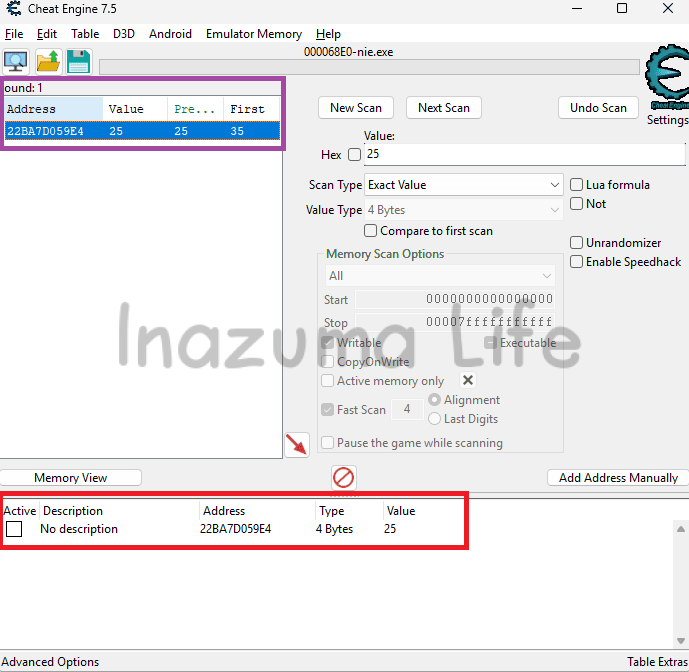
- To change the value, double-click on the number '25' (or your current amount) in the bottom list. A small window will open where you can type the amount you want; in my case, I will type 99999.
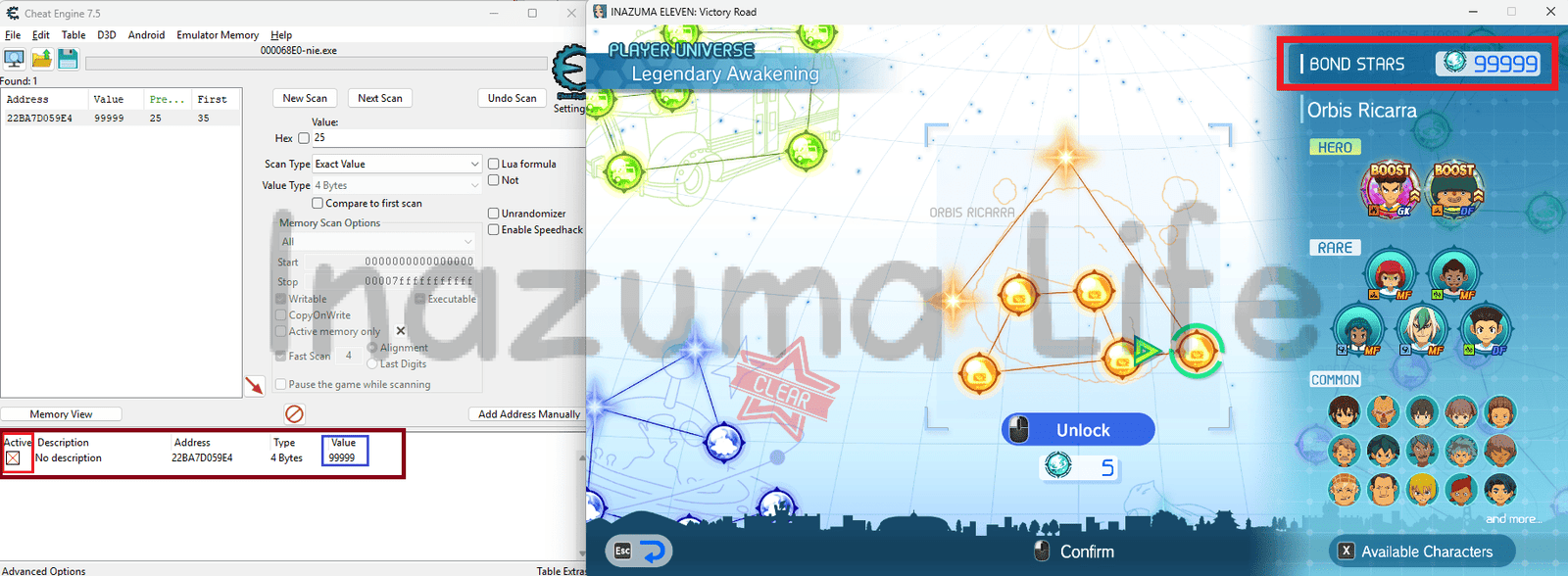
- Additionally, we can make this value frozen (so it doesn't decrease when pulling more gacha) by clicking the square checkbox under the 'Active' column. If done correctly, a red cross will appear inside it.
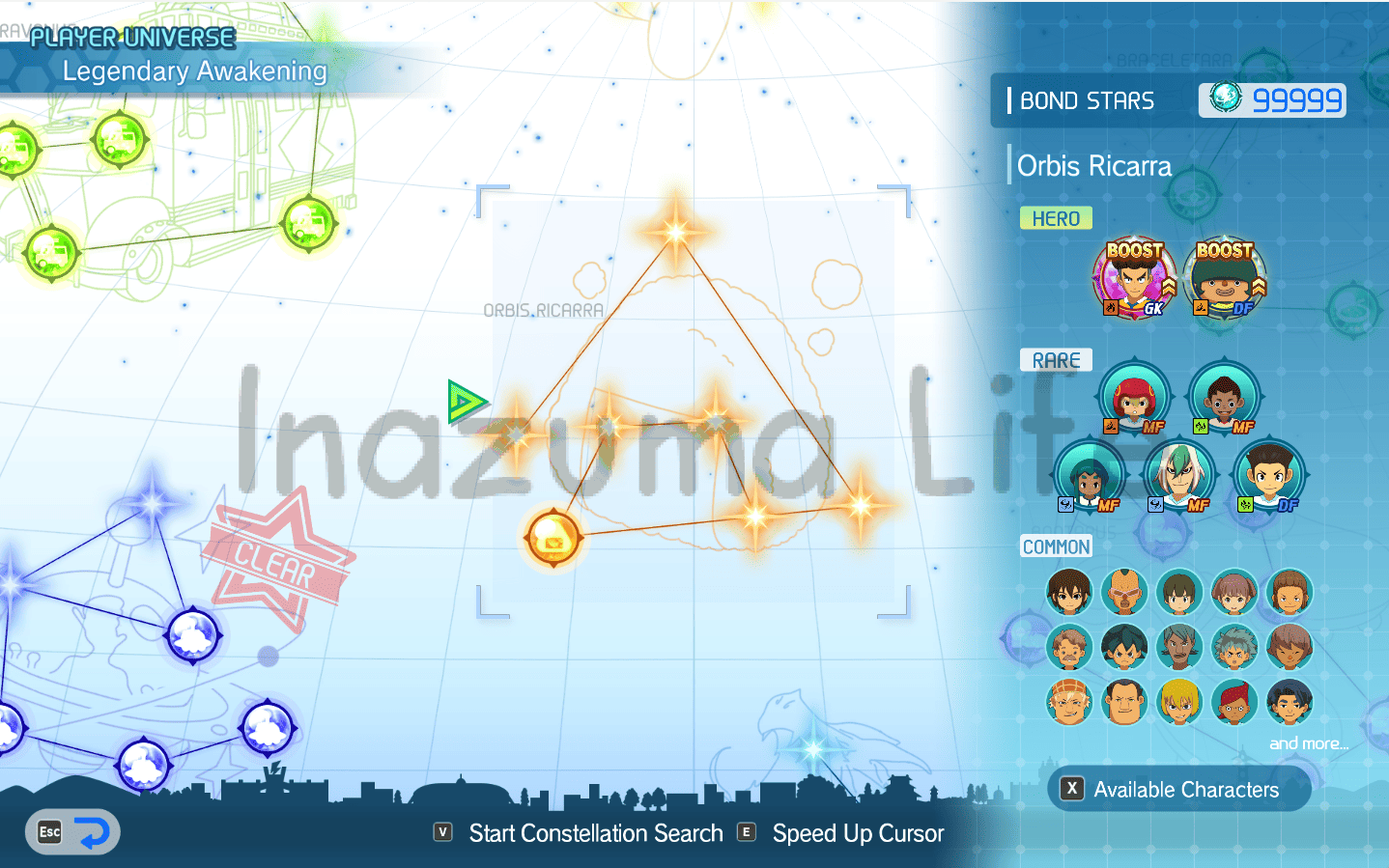
- To update the value in-game, exit the Constellation screen (e.g., return to the Chronicle Mode menu) or simply unlock a new node. Once done, you will see your Bond Stars count updated to 99999.
Method 2: Search by Item ID
If you are reading this method after trying the first one, you might tell me I wasted your time. To be honest, this system is much faster because we are going straight to the source by searching for the Item ID in the memory.
What exactly is an ID? It's just a numeric value that represents a specific object within the game. Bond Stars have a unique ID that they don't share with anything else, so we can find them by locating that specific number. The only requirement is that you have had at least one star in your inventory at some point so the ID is registered in your save. If you have 0, just play an online match or a Chronicle Mode match, where they usually drop a couple of stars easily.
The ID for Bond Stars is EB 64 0B 0A. If we searched only for that in Cheat Engine, we might find the item directly, but there is a small chance that this number combination repeats in other game processes, making the search difficult. To avoid this, we will use wildcards. Basically, we give Cheat Engine a longer code string and put question marks (??) in the parts that can vary, since they are not the same in every save file (in fact, this happened to me in my own save when searching for the exact same values a few weeks later).
By doing this, we are telling the software: "Find this exact sequence, but I don't care what numeric value is in the question mark placeholders." This ensures the result is, definitely, our stars.
- We go to Cheat Engine and repeat the usual process: we click on the screen monitor with the magnifying glass in the upper left, select the Inazuma Eleven Victory Road process and prepare for the scan
- Check how many stars you currently have (in my case, 25). For this method to work, we must convert that 25 to Hexadecimal. Don't complicate things: use any online calculator or the Windows Calculator in "Programmer" mode. You will see that 25 becomes
19. - In Cheat Engine, change the Value Type to Array of byte and make sure to check the Hex box next to the search bar. The string you need to paste is:
25 17 EB 64 ?? ?? 00 00 0? 0? 00 00 19(Where the 19 is the hexadecimal value of the 25 stars we converted earlier).
As I mentioned, we add these extra numbers because it matches the structure items follow in the game's code. Specifically, the structure is:ID XX XX 00 00 0Y 0Y 00 00 ITEM_AMOUNT, Where Y is usually a 1 or a 2.
Important Detail: If you have more than 255 Bond Stars (more than 1 byte), for example, 300 stars, the hexadecimal value is01 2C. However, what you should put in the search bar would be25 17 EB 64 ?? ?? 00 00 0? 0? 00 00 2C 01
This is because Cheat Engine uses Little-Endian` notation. When searching for a numeric value via an Array of Byte, the bytes appear "reversed" compared to how we write them normally. Another example: If I had 5000 Bond Stars (which is13 88in Hex), I would have to search for this:25 17 EB 64 ?? ?? 00 00 0? 0? 00 00 88 13 - Once written, click First Scan or New Scan if you have searched for other values previously
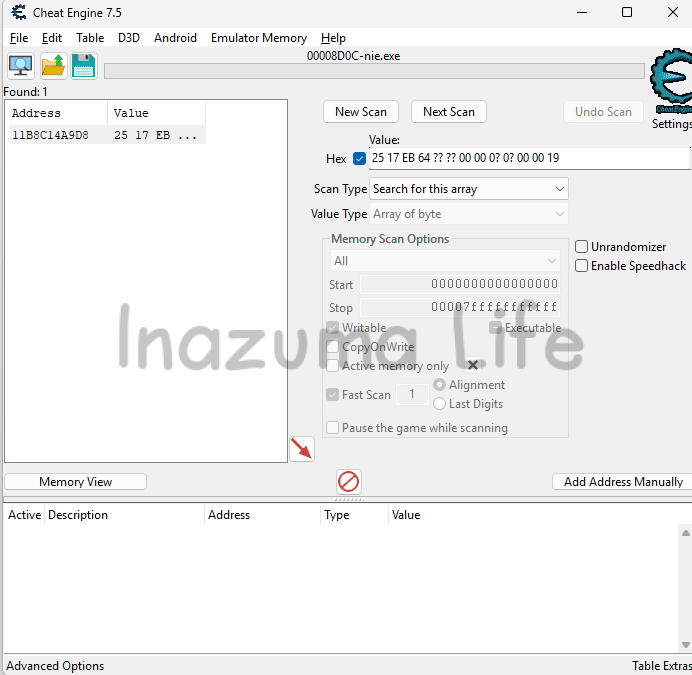
- We will get a single result. Click on it and press CTRL+B (or right-click and select Browse this memory region).
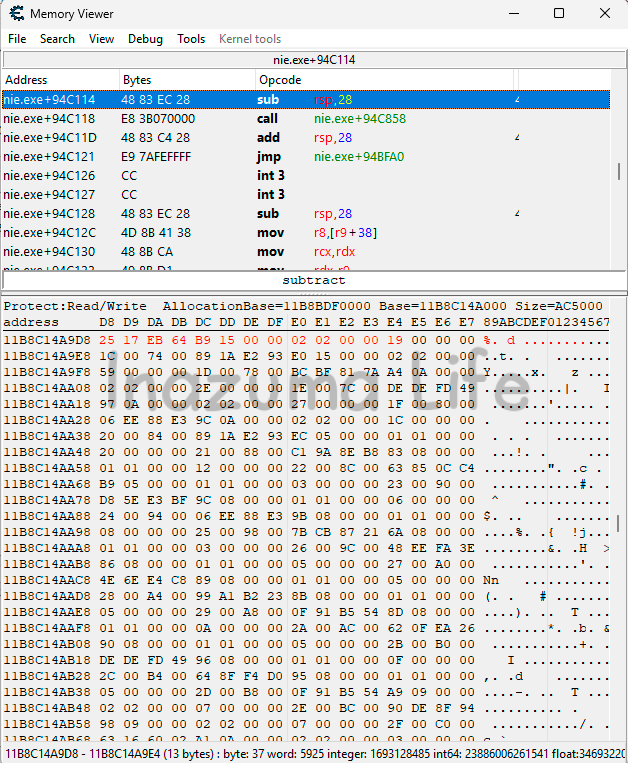
- Once inside the memory viewer, look for the item amount following the structure above. In my case, I double-click on the 19 (the 25 in hex), and a dropdown will open. What we have to do is change the option from 1 byte to 4 bytes and write the amount you want in Decimal (normal numbers); I'll write 99999 just like before.
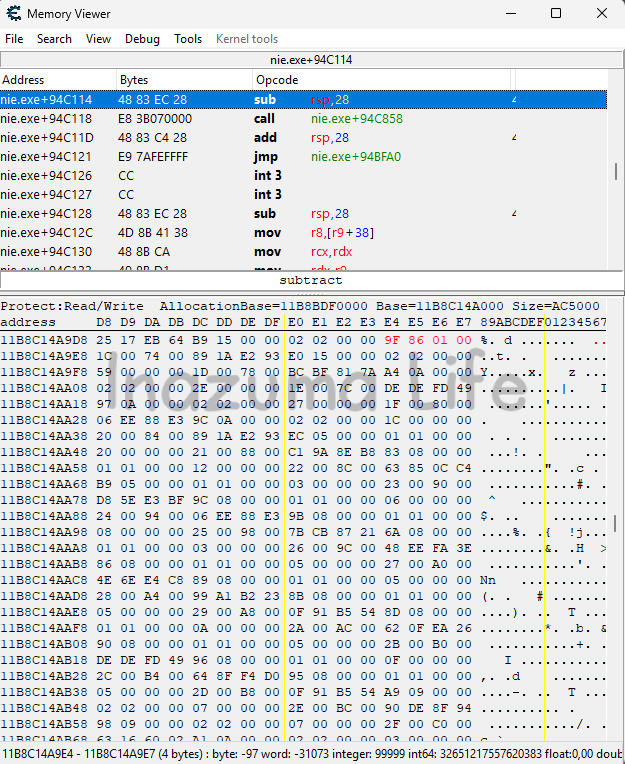
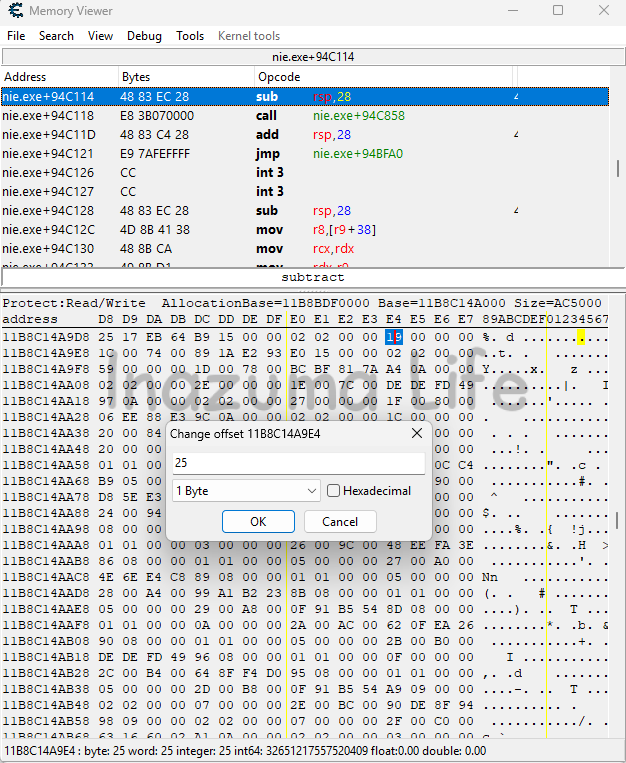
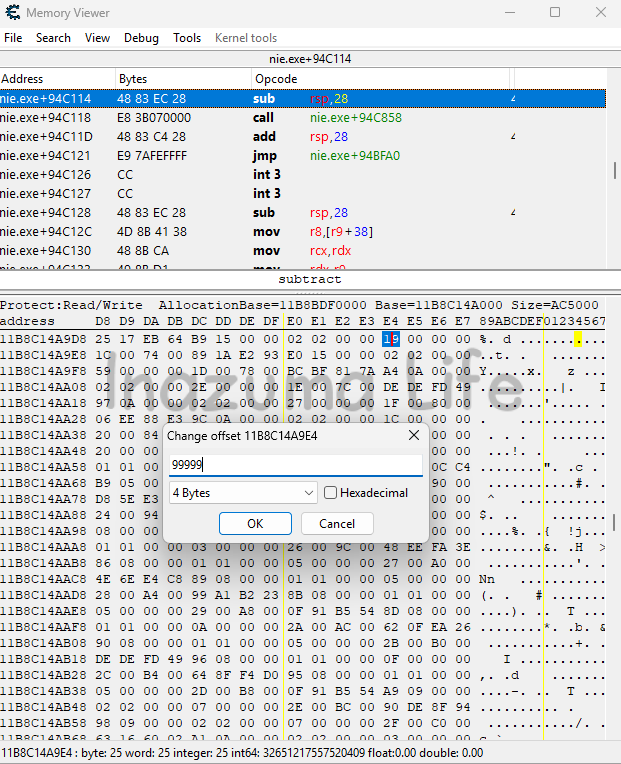
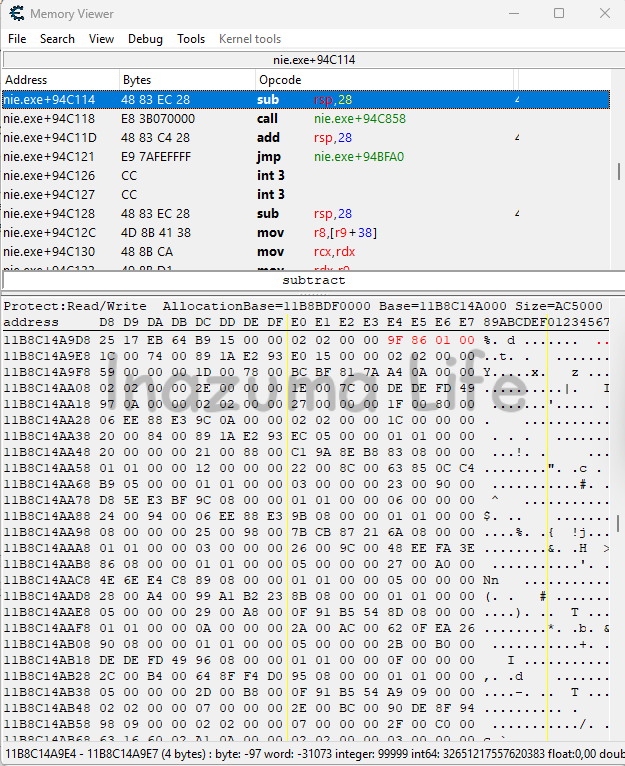
- If we update the screen by exiting to the menu and re-entering, we will see that our Bond Stars value has updated correctly.
More Inazuma Eleven: Victory Road Guides and Cheats
Mission accomplished! Now that farming stars is no longer an issue and your inventory is overflowing to scout the players you want, it's time to focus on what truly matters: strategy and training.
If you want to discover the best players to scout, competitive builds or more tools to get the most out of the PC version, check out our main section with all the guides
I hope this tutorial has helped you save hours of replaying matches. Thanks for reading and see you soon!

-
 garcia says:
 Is it possible to share the Cheat Engine .ct file so as not to cause any problems? Thank you.
 garcia
 Leave a Reply
 English (UK)
  Español
  Italiano
  Deutsch
  Français
  日本語
日本語
Related Posts